Need help in using our WordPress theme?

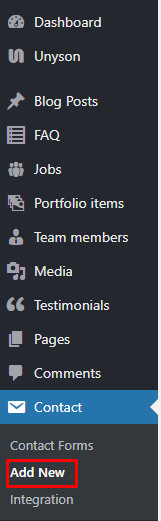
To create a new Contact Form item, navigate in WordPress Dashboard to Contact > Add New.
|
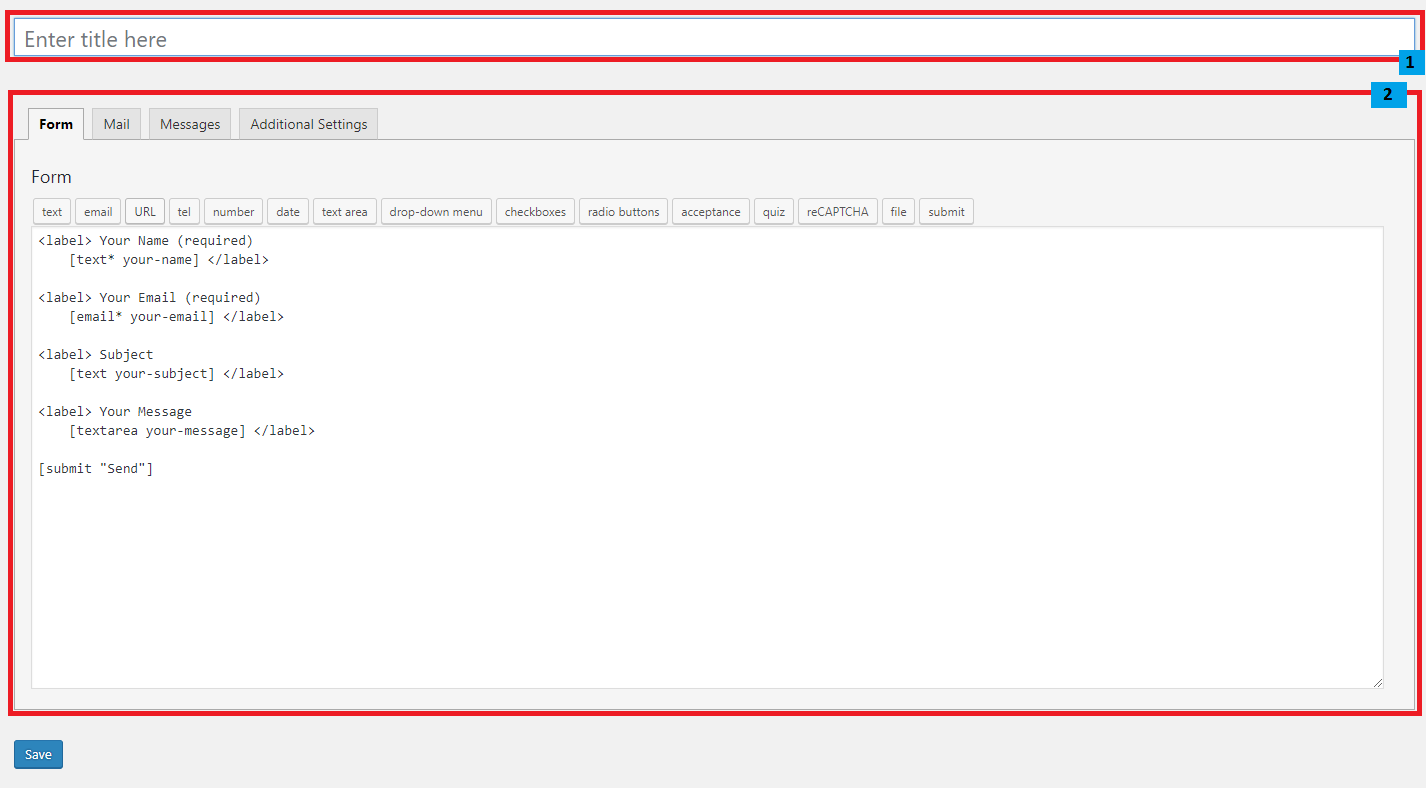
The Add New Contact Form page will show. Add the details for the Contact Form.
|
Title - The title for the Contact Form
Form Details - Details and information of the form.
- Form - The codes for the user interface of the form.
- Mail - Set the email template of the form.
- Messages - Message prompt when an action is done with the form.
- Additional Settings - You can add customization code.
|
After adding all the details, click on Save button to save.
Note
For information on how to use this plugin or what markup to use, go to here General Information > Unyson, Extension, and Plugins > Contact Form 7.